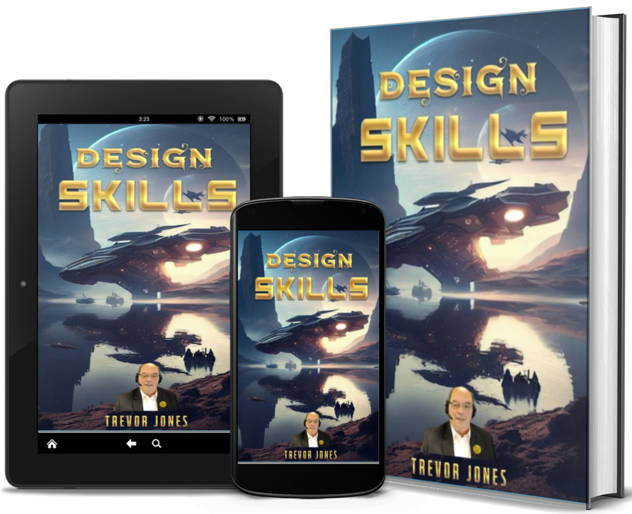

Day 06. The Canva to Cash Journey

Transform Your Marketing Strategy

BLOG POST 6- LIVING OFF THE NET

✅ Your daily motivational quote:

"Success is walking from failure to failure with no loss of enthusiasm."

— Winston Churchill

A Russell Brunson Invitation
Secrets of Success JV
🌿 Your Invitation 🌿
Day 6 - of 365

“How to Earn Online Using Simple, Beginner-Friendly Design Skills”
Progress: 6 of 365
A Russell Brunson Invitation
Secrets of Success Challenge
🌿 Your Invitation 🌿

You don’t need to be a professional graphic designer to make money online with design. With Canva, anyone can create stunning visuals — and turn those into a steady income stream. From templates to printables, there’s a world of opportunity for creative beginners who know how to present their work well.

The Power of Canva Simplicity

Canva has changed the game. You can design social media graphics, logos, flyers, business cards, and even eBooks — all using drag-and-drop tools. Businesses, influencers, and coaches are constantly looking for affordable, fast designs. That’s where you come in.

Where to Sell Your Designs

Start by creating a portfolio on Fiverr or Etsy. Offer simple packages like “10 Instagram post templates” or “Editable Canva business card design.” You can also sell pre-made templates on Creative Market or your own website.

Keep It Simple and Consistent

The key is not complexity, but style and usefulness. Clients love designs that are clean, easy to edit, and visually balanced. Build your own signature look — maybe pastel themes, bold minimalism, or classy business styles — and stick with it.

“Design simplicity plus action equals opportunity.”

💡 Interactive Practice: Build Your Design Income Foundation
🖼️ Step 1: Create Your First Design

Open Canva and design something simple — a social post or quote graphic. Keep your color scheme consistent and text easy to read.

💡 Step 2: Make 5 Variations

Experiment with different backgrounds and text styles. Variation helps you learn what stands out visually and what feels balanced.

💰 Step 3: Upload and Sell

Create a Fiverr gig or Etsy listing offering editable Canva templates. Use screenshots to show what buyers get.

🚀 Step 4: Market Your Work

Share your designs on Pinterest, Instagram, or Threads. Add a short caption explaining what problem your design solves.

Note: There’s a form at the bottom of this page. Once you fill it in, you’ll instantly receive an email from me — plus a special resource you can easily share with your friends, family, and colleagues.

📈 Mastering Risk and Reward Ratio: Your Ultimate Forex Trading Edge

One of the most crucial aspects of successful trading is understanding the concept of risk and reward. This principle lies at the heart of every professional trader’s strategy. Risk-to-reward ratio (RRR) is the measure of how much a trader stands to lose if a trade goes wrong versus how much they stand to gain if the trade goes right.


💡 What is the Risk/Reward Ratio?

The risk/reward ratio is a calculation used by traders to manage their trades and protect their capital. If you’re risking £100 on a trade, and your potential profit is £300, your risk/reward ratio is 1:3. This means you’re risking £1 to potentially make £3.

In forex trading, the risk/reward ratio helps you determine whether a trade is worth taking. It also helps maintain discipline and consistency, both of which are essential for long-term trading success.


📊 Why It Matters

Without a proper risk/reward strategy, traders can easily fall into emotional decision-making, often leading to poor results. A favorable risk/reward ratio allows you to be profitable even if you lose more trades than you win.

For example, if your RRR is 1:3, and you win only 3 out of every 10 trades, you can still end up in profit. Here’s how:

  • 3 winning trades x £300 = £900
  • 7 losing trades x £100 = £700
  • Total profit = £200

⚙️ How to Use RRR in Your Trading

1. Set Your Stop Loss: Always determine the amount you're willing to lose on each trade. This is your risk.

2. Set Your Take Profit: Define how much profit you're aiming to make. This is your reward.

3. Calculate the Ratio: Divide the potential reward by the risk.


📘 Real-World Example

Let’s say you’re trading the GBP/USD pair. You enter a buy trade at 1.2500 with a stop loss at 1.2470 (30 pips risk) and a take profit at 1.2590 (90 pips reward).


  • Risk: 30 pips
  • Reward: 90 pips
  • Risk/Reward Ratio: 1:3

🛡 Pro Tips

  • Always stick to your pre-determined RRR. Don’t move your stop loss or take profit emotionally.
  • Use larger RRRs to allow some losing trades while remaining profitable overall.
  • Backtest your strategy with different RRRs to find the sweet spot that suits your trading style.

📊 Why It Matters

Mastering the risk and reward ratio is a vital step toward becoming a consistent and profitable trader. It empowers you to trade with discipline and confidence, even when the market doesn’t go your way.

Make it your goal to never enter a trade without knowing your risk/reward setup. Over time, this simple habit can significantly improve your results and protect your trading capital.

Want to learn how to implement this live on your charting platform? Stay tuned for our upcoming guide on setting RRR directly within your trading software.
🔧 Free Tool of the Week

Try this powerful online tool to streamline your workflow.

Visit the Tool

🔥 Limited-Time Offer

Promo Claim Offer

📝 Secrets of Success

Discover how to master affiliate marketing with this simple guide.

Learn More

💸 Affiliate Pick

Affiliate Product

My top pick for earning online.

Check it Out

🎥 Watch & Learn

💡 Quick Tip: Always test different headlines to increase open rates.

📌 Sidebar Box 1

Add your own content here—links, tools, offers, or banners.

📌 Sidebar Box 2

You can clone or add more of these as needed.

📌 Sidebar Box 3

Feel free to link to your blog, offers, or bonus content.
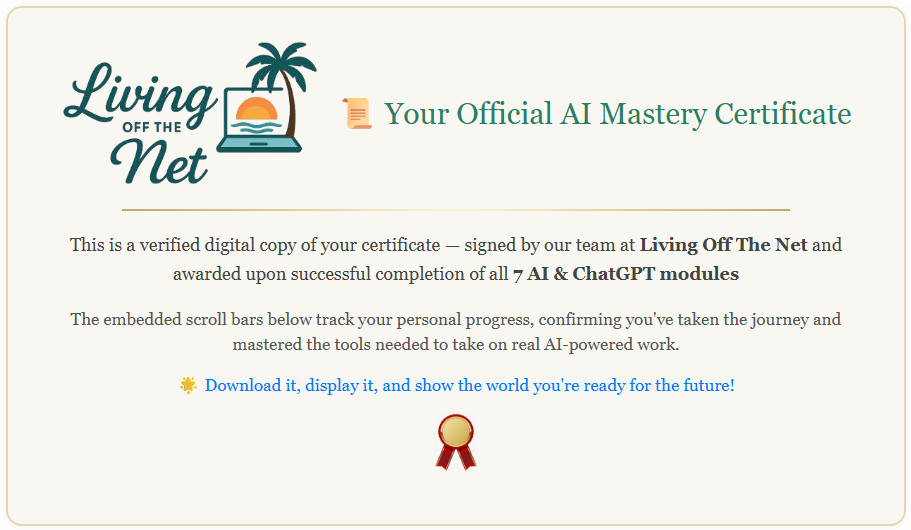

🏅 Your ChatGPT Communication Certificate Awaits!

This prestigious certificate is awarded to all Blog Members who study “The Way to Communicate with ChatGPT.”
There will be Short Tests on Prompts to help you master your skills.
Register Below to become a member and start earning your certificate today!

📚 Read the Same Topic — in a Far Superior, Page-Turning Format

“Become the Brand, Not Just a Product (Simple Online Success Tip)” — now presented in our Flippin Ebook. The pages flip for you: no scrolling, no distractions — just a smoother, more focused read.

   Tap or click the ebook image to open and read..

Discover how simple design skills can turn into a thriving online income.

From Canva to Cash: Earning with Simple Design Skills

Sophie had always been creative, but she never thought of herself as a “designer.” She loved making invitations for friends’ parties, creating playful graphics for social media, and experimenting with colors and layouts—but it was just a hobby. One evening, while scrolling through online job boards, she noticed a growing trend: people paying freelancers to create simple, polished designs using tools like Canva.

Curious, Sophie decided to give it a try. She downloaded Canva, explored templates, and started experimenting. She made logos, social media posts, eBook covers, and flyers. To her surprise, she found the process intuitive, fun, and deeply satisfying. Each small design project made her realize that even simple creativity could have real-world value.

She posted her first gig on Fiverr, offering “Custom Social Media Graphics and eBook Covers.” The first order was small—a single Instagram post for a local bakery—but it paid more than she expected. Encouraged, Sophie refined her portfolio, created more samples, and wrote clear descriptions explaining the value she could deliver. Within weeks, she had multiple orders and glowing reviews.

Sophie discovered something important: in the world of online freelancing, clients didn’t need a famous designer—they needed someone reliable, creative, and able to translate ideas into visuals quickly. Her work wasn’t about perfection; it was about clarity, appeal, and usability.

As her reputation grew, Sophie expanded her services: she offered Canva templates, design coaching, and even packaged sets of social media content for small businesses. She learned to manage multiple orders, communicate effectively with clients, and streamline her workflow. Each success boosted her confidence—and her income.

Beyond the money, Sophie realized she had unlocked a valuable skill set. She could now take any basic concept and turn it into an attractive design that sold a product, promoted a business, or engaged an audience. She had gone from casual hobbyist to skilled online freelancer, all using simple design tools that were accessible to anyone.

Looking back, Sophie smiled at how far she’d come. What started as curiosity had turned into a sustainable source of income, personal growth, and creative fulfillment. She understood that in today’s digital world, even simple skills, when applied consistently and creatively, could open doors to opportunities and financial independence.

"Creativity is the bridge between hobby and income—design your way to success."

From Canva Newbie to Digital Design Pro

It began with a free Canva account and a little curiosity. They learned their way around the platform, exploring templates, fonts, and animations. Before long, they were creating fully branded Canva templates and videos—designed for specific niches and needs.

Their work attracted attention—and clients. Regular buyers started requesting templates for Instagram, YouTube, blogs, and more. It turned into a real business, with a reliable client base and a growing reputation for quality design.

Now, they teach others how to do it too—while using LeadsLeap to market their templates completely free.

💬 Real Feedback from Real Clients

“These Canva templates made my life so much easier! I now get compliments on my brand every week.”
Linda P., Fitness Coach
“I followed the training and sold my first Canva video set in 4 days. Highly recommend it!”
Thomas G., Freelancer
“Thanks to LeadsLeap, my templates now get views and leads daily. And it didn’t cost me a thing.”
Rita S., Side Hustler

Get Started Free with LeadsLeap

FOR DISPLAY PURPOSE LET'S SHOW YOU WHAT CAN BE DONE
🔗 Quick Links

🛠 Free Tools

🎯 Niche Ideas

  • Fitness Templates
  • Real Estate Promo Kits
  • Beauty & Skincare Ads
  • Coaching Course Designs
💡 Bonus: Canva Template Pack Ideas for Funnels

Here’s a list of template ideas you could create and sell to help people build complete marketing funnels:

  • Landing Page Mockups (Opt-in or Webinar)
  • Lead Magnet Covers (Ebooks, Checklists, Workbooks)
  • Instagram Carousel Funnels (Awareness → Action)
  • Facebook Ad Graphics (Multiple Sizes & Styles)
  • Sales Page Headers & Banners
  • Thank You Page Graphics (Follow-Up Instructions)
  • Email Opt-In Forms & Popups Designs
  • Webinar Registration Pages
  • Upsell & Cross-Sell Page Templates
  • Product Mockups for Funnels (Digital & Physical)
  • Social Media Promo Templates (Stories, Reels, Posts)
  • Countdown Timer Graphics (Scarcity & Urgency)
  • Discount or Promo Coupons Designs
  • Content Upgrade Covers (Mini-Guides, PDFs)
  • Customizable Button & CTA Graphics
  • Workshop/Event Registration Templates
  • Membership Landing Pages
  • Mini-Infographics for Funnel Pages
  • Testimonials & Review Blocks
  • Resource Library Covers (e.g., Free Templates for Subscribers)

With these, you can create full “funnel packs” that buyers can plug into Canva and start using immediately!

Creating and Selling Canva Templates for Passive Income

By Trevor Jones Living Off The Net Academy

Creating and selling Canva templates is a great idea! It's relatively low effort, highly scalable, and appeals to a wide audience. Here's how you could approach this:

1. Identify Your Niche

Determine the type of templates you want to create: social media posts, business presentations, marketing materials, or even niche-specific templates like those for influencers, bloggers, or entrepreneurs.

Tip: Think about what your audience (beginner marketers or those wanting to live off the net) would find useful. Social media templates or simple website design kits could be popular.

2. Create Templates in Canva

Start by designing a few templates in Canva. Focus on versatility (easy to edit colors, text, and images). Ensure your templates are high-quality, aesthetically pleasing, and user-friendly.

3. Offer Various Styles and Themes

Offer different styles (minimalistic, modern, vintage) or cater to specific themes (business, wellness, lifestyle). Organize templates into collections—for example, a package for bloggers with social media post templates, blog banners, and email headers.

4. Set Up Your Store

Sell templates directly on your website or use platforms like Etsy, Gumroad, or Creative Market. Some use Shopify to set up a full online store. Ensure the purchasing process is smooth and provide clear instructions or tutorials for buyers.

5. Market Your Templates

Promote your templates via social media, blogs, or email lists. Create a lead magnet related to Canva (like a "free template pack") to encourage email sign-ups.

6. Scale and Optimize

After a few sales, gather feedback and tweak designs to better suit your audience. You could also offer a subscription where customers receive new templates every month.

Want Help with This? I’ve made it easy for beginners to get going faster. If you'd like pre-written emails to promote your download (plus my guidance), scroll up and check out my email packages. Let’s build something that brings in money—while you sleep.

Let’s Walk Through an Example: Marketing Funnels

🌟 What is Canva? Canva is a free (with optional Pro features) drag-and-drop design tool that lets anyone create professional graphics without needing design skills. You can design everything from social media posts, ebooks, presentations, website mockups, marketing materials, and custom templates for marketing funnels!

🧩 Example: Canva Template for a Marketing Funnel

Here’s an idea of templates to create and sell under the "Marketing Funnel" niche:

  • Landing Page Mockup Templates: For opt-in offers or webinar signups.
  • Lead Magnet Cover Templates: Ebook or checklist mockups for freebies.
  • Instagram Carousel Templates: Move people through a funnel (Awareness → Interest → Action).
  • Sales Page Header Graphics: Clean, persuasive banners for sales or checkout pages.
  • Thank You Page Graphics: Guide users to next steps (like joining a Facebook group or checking inbox).

All editable with a free Canva account—just plug in your branding and go.

🚀 Where & How to Market Your Templates
1. Marketplaces

Etsy, Creative Market, Gumroad, and DesignBundles.net are great because they already have traffic. Include keywords like “Marketing Funnel Template Canva” or “Lead Magnet Canva Templates” in your listings.

2. Your Own Website

Create a product landing page with a short demo video, screenshots, a Buy Now button (PayPal, Stripe, or Gumroad), testimonials, FAQs, and a strong call to action.

3. Promote via Social Media
  • Instagram: Template previews in Reels or carousels.
  • Pinterest: Pin mockups linking to your product.
  • Facebook Groups: Funnel builders, online coaches, digital marketers.
  • YouTube Shorts or TikTok: Show quick template customizations in Canva.
4. Use Email Marketing

If you have an email list, offer a free “Funnel Starter Kit” (1–2 templates) and upsell the full bundle via a sequence. Bonus tip: Use your own Canva template to design the email header 😎 Check my Emailing Machine


Resources Mentioned:
LeadsLeap Advertising & Tools
Living Off The Net Academy

Share the love

Tell your friends and co-workers about us!

KNOW THIS 🚀 A new wave of digital freedom is rising — people everywhere are discovering how to live, learn, and earn online through Living Off The Net and the inspiring SKOOL Community.

🌍 The Extraordinary Rise of Living Off The Net and the SKOOL Community

By Trevor Jones — Living Off The Net Academy

📩 My Recommended Advice Stay Connected and Keep Learning

Note: There’s a form at the bottom of this page. Once you fill it in, you’ll instantly receive an email from me — plus a special resource you can easily share with your friends, family, and colleagues.

When you sign up, you’ll get an exciting new blog post delivered straight to your inbox every day for a full year. Each post is designed to teach you valuable tips, strategies, and ideas you can apply immediately. This is a limited-time opportunity — once it’s full, registration closes!

Don’t worry — I never send emails without giving you full control. Every email includes an unsubscribe link, so you can opt out anytime, hassle-free.

Here’s a ready-to-use product description + sales page draft for your Marketing Funnel Canva Template Bundle, along with suggestions for visuals you can show off in your store or landing page:

🛍️ PRODUCT NAME:

“Funnel Magic” – Canva Template Bundle for High-Converting Marketing Funnels

🖊️ PRODUCT DESCRIPTION:

Turn clicks into customers with zero design skills needed!

This powerful Canva template bundle gives you everything you need to design a high-converting marketing funnel in minutes — perfect for coaches, course creators, affiliate marketers, and digital entrepreneurs who want stunning visuals without the stress.

🎨 WHAT’S INSIDE:

Landing Page Banner Templates
Make your opt-in or sales page pop with clean, high-impact header designs.

Lead Magnet Mockup Templates
Show off your freebie like a pro with editable ebook, checklist, and workbook covers.

Instagram Funnel Carousel Templates
Educate, build trust, and drive traffic with professionally designed Instagram slides (fully customizable!).

Sales Page CTA Graphics
Highlight your offers with buttons, arrows, and persuasive text visuals.

Thank You / Next Step Graphics
Guide your subscribers to the next action with classy thank-you banners.

All templates work with free Canva accounts — no tech skills
needed!

🧰 PERFECT FOR:
  • Coaches & consultants

  • Affiliate marketers

  • Email marketers

  • Online course creators

  • Anyone building a sales funnel

🔄 EASY TO CUSTOMIZE:
  • Change fonts, colors, and text

  • Add your own photos or brand logo

  • Download as PNGs, PDFs, or share online

📥 INSTANT ACCESS:

Once you purchase, you’ll get a PDF with your direct Canva links — simply click, customize, and download!

💬 WHAT CUSTOMERS SAY:

“These templates made my entire funnel look professional in one afternoon!”
– Emma R., Online Coach

“I’m not a designer, but this pack made me feel like one. Highly recommend!”
– Daniel P., Funnel Builder

💡 BONUS IDEA:

Offer a free mini-pack with 2 funnel templates in exchange for email opt-ins. You can then upsell the full bundle via email or on the thank-you page.

🔥 VISUALS TO SHOWCASE:

You can design these mockups in Canva or use them on Etsy/Gumroad:

  1. A flat lay mockup showing laptop screens with your funnel graphics on them.

  2. Before & after: a dull funnel vs. your template-enhanced version.

  3. Carousel mockups with Instagram template previews.

  4. Sales page CTA section showing a button + text combo.

  5. A quick 10-sec video: “Watch me turn this blank page into a sales funnel in 60 seconds using Canva!”

Funnel Magic: Canva Template Bundle Product Description & Sales Page Draft

By Trevor Jones Living Off The Net Academy

Here's a ready-to-use product description + sales page draft for your Marketing Funnel Canva Template Bundle, along with suggestions for visuals you can show off in your store or landing page:

🛍️ PRODUCT NAME:

"Funnel Magic" – Canva Template Bundle for High-Converting Marketing Funnels

🖊️ PRODUCT DESCRIPTION:

Turn clicks into customers with zero design skills needed!

This powerful Canva template bundle gives you everything you need to design a high-converting marketing funnel in minutes — perfect for coaches, course creators, affiliate marketers, and digital entrepreneurs who want stunning visuals without the stress.

🎨 WHAT'S INSIDE:
  • ✅ Landing Page Banner Templates – Make your opt-in or sales page pop with clean, high-impact header designs.
  • ✅ Lead Magnet Mockup Templates – Show off your freebie like a pro with editable ebook, checklist, and workbook covers.
  • ✅ Instagram Funnel Carousel Templates – Educate, build trust, and drive traffic with professionally designed Instagram slides (fully customizable!).
  • ✅ Sales Page CTA Graphics – Highlight your offers with buttons, arrows, and persuasive text visuals.
  • ✅ Thank You / Next Step Graphics – Guide your subscribers to the next action with classy thank-you banners.

All templates work with free Canva accounts — no tech skills needed!

🧰 PERFECT FOR:
  • Coaches & consultants
  • Affiliate marketers
  • Email marketers
  • Online course creators
  • Anyone building a sales funnel
🔄 EASY TO CUSTOMIZE:
  • Change fonts, colors, and text
  • Add your own photos or brand logo
  • Download as PNGs, PDFs, or share online
📥 INSTANT ACCESS:

Once you purchase, you'll get a PDF with your direct Canva links — simply click, customize, and download!

💬 WHAT CUSTOMERS SAY:
  • “These templates made my entire funnel look professional in one afternoon!” – Emma R., Online Coach
  • “I'm not a designer, but this pack made me feel like one. Highly recommend!” – Daniel P., Funnel Builder
💡 BONUS IDEA:

Offer a free mini-pack with 2 funnel templates in exchange for email opt-ins. You can then upsell the full bundle via email or on the thank-you page.

🔥 VISUALS TO SHOWCASE:

You can design these mockups in Canva or use them on Etsy/Gumroad:

  • A flat lay mockup showing laptop screens with your funnel graphics on them.
  • Before & after: a dull funnel vs. your template-enhanced version.
  • Carousel mockups with Instagram template previews.
  • Sales page CTA section showing a button + text combo.
  • A quick 10-sec video: "Watch me turn this blank page into a sales funnel in 60 seconds using Canva!"

Here’s a freebie opt-in email designed to promote your free mini funnel template pack, build excitement, and set up the upsell to your full bundle:


Subject Line Ideas:

  • 🚀 Build Your Funnel Faster — Grab These Free Canva Templates!

  • 👀 Sneak Peek: Your Funnel Design Just Got a Glow-Up

  • Free Gift Inside: Canva Templates to Boost Your Funnel Game


Email Body:

Hey [First Name],

Want to make your marketing funnel look amazing without hiring a designer?

I’ve put together something special for you — a free mini bundle of Canva templates to help you create stunning visuals for your funnel in minutes.

Inside your freebie: ✅ Opt-in page banner
✅ Lead magnet mockup
✅ Instagram carousel slide (perfect for funnel storytelling)

These plug-and-play templates are fully customizable inside Canva (even the free version) — just drop in your branding, tweak the text, and boom — your funnel looks like a pro made it. 🧙‍♂️

👉 Click here to get instant access to your free templates
[Insert opt-in link]

PS: These 3 templates are just a sneak peek of the full bundle, which includes 15+ drag-and-drop designs for landing pages, lead magnets, thank-you pages, and more.

But first — enjoy your free pack and let your creativity run wild 💡

To your success,
[Your Name]
Helping everyday entrepreneurs build better funnels (without burnout)


📧 FOLLOW-UP EMAIL: 1 day later

Subject Line Options:

  • Your funnel freebie is here — ready to go?

  • P.S. Did you see this exclusive offer?

  • Want to design your entire funnel in minutes?


Email Body:

Hey [First Name],

Just checking in — did you get a chance to open up your free Canva funnel templates yet?

These are just a taste of what’s possible when your funnel has the right visuals working behind the scenes.

✨ If you liked the freebie, you’re going to love the full Funnel Magic Bundle — it’s packed with:

  • Opt-in and sales page graphics

  • Ebook and checklist mockups

  • Instagram carousels that lead people through your funnel

  • Thank-you banners and next-step visuals

Whether you’re a coach, affiliate marketer, or course creator — this bundle helps your funnel look and convert better.

👉 [Click here to grab the full Funnel Magic Bundle for just £X]
(Limited-time offer — only available for a short time!)

Let your visuals do the selling — and save hours in the process.

To your success,
[Your Name]
Helping you turn templates into sales machines 💸

💡 Bonus Interactive Exercise: Creating and Selling Canva Templates

Reflect on your process for designing and selling templates. Click each step to reveal guidance and insights.

Leave a Comment

Your email address will not be published. Required fields are marked *